
Kort oppsummert:
- Google bedriftsprofil (tidligere Google Min Bedrift) er Googles gratis verktøy for lokale bedrifter i Google Søk og Google Maps.
- En komplett profil gjør deg synlig i både vanlige søkeresultater og AI-drevne svar fra for eksempel Google, ChatGPT og Perplexity.
- NAP-konsistens, altså at navn, adresse og telefonnummer er identisk overalt, er avgjørende for god synlighet.
- Videoopptak er nå den anbefalte verifiseringsmetoden.
- Bilder, Google Posts og jevnlige oppdateringer øker synligheten og engasjementet i profilen.
- Google-anmeldelser utgjør 81 % av alle nettanmeldelser og påvirker direkte om kunder velger deg fremfor konkurrentene.
Hva er Google bedriftsprofil (tidligere Google Min Bedrift)?
Google bedriftsprofil (tidligere Google Min Bedrift) er en gratis oppføring i Google Søk og Google Maps som gir potensielle kunder en oversikt over bedriften din: hvem dere er, hva dere tilbyr, hvor dere holder til og hvordan de kan ta kontakt.
Du har kanskje hørt navnet Google Min Bedrift eller Google My Business. Google rebrandet tjenesten til Google bedriftsprofil i 2022, men innholdet og funksjonaliteten er i stor grad den samme. Profilen administreres nå direkte i Google Søk og via Google Maps-appen.
Vil du ha flere kunder gjennom Google? La oss ta en prat, vi hjelper deg med å sette opp og optimere Google bedriftsprofilen din.
I profilen vises kontaktinformasjon, åpningstider, adresse, bilder, anmeldelser og lenke til nettsiden din. Alt på ett sted, lett tilgjengelig for alle som søker etter deg eller tjenestene du tilbyr.
Google bedriftsprofil og AI-søk
AI-verktøy som ChatGPT, Perplexity og Google AI Overviews henter informasjon fra strukturerte og troverdige kilder når de skal svare på spørsmål. Google bedriftsprofil er en av de viktigste kildene, særlig for lokale søk. Spør noen «hvem er den beste elektrikeren i Oslo?», er sjansen stor for at AI-verktøyet trekker informasjon direkte fra bedriftsprofiler i området.
Det betyr at en komplett og oppdatert profil ikke bare hjelper deg i vanlige søkeresultater. Den gjør deg synlig der stadig flere kunder faktisk søker etter svar.
Søk er i endring. Er bedriften din synlig der kundene faktisk søker, enten det er på Google, i ChatGPT eller i AI Overviews? La oss ta en prat, så hjelper vi deg å komme dit.
NAP-konsistens er avgjørende
NAP står for Name, Address og Phone number. For at Google og AI-verktøy skal stole på informasjonen din, må navn, adresse og telefonnummer være identisk overalt der bedriften er oppført: på nettsiden din, i Google bedriftsprofil og i andre kataloger og oppføringer. Avvik svekker tilliten til profilen og kan gi deg dårligere synlighet i både vanlige og AI-drevne søk.
Slik setter du opp en Google bedriftsprofil, steg for steg
Steg 1: Gå til business.google.com
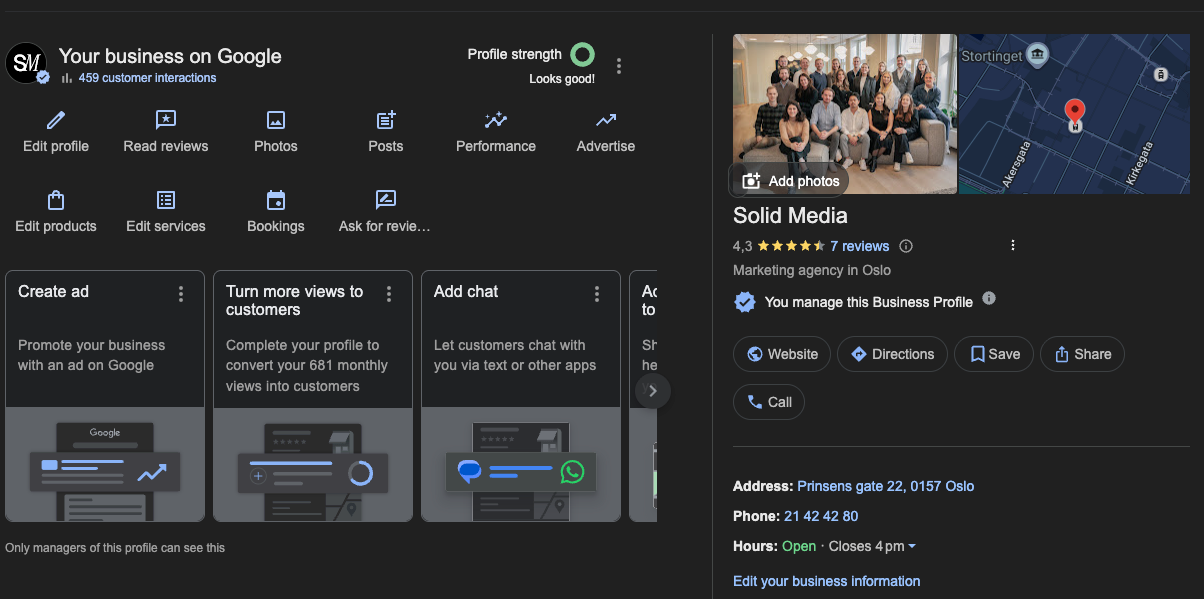
Gå til business.google.com og logg inn med en Google-konto. Klikk på «Legg til bedrift» og følg veiledningen på skjermen. Du kan også søke på bedriftens navn direkte i Google Søk, så dukker administrasjonsmenyen opp hvis du er logget inn med riktig konto.
Steg 2: Fyll inn bedriftsnavn og kategori
Skriv inn bedriftsnavnet og velg en primærkategori. Kategorien hjelper Google å forstå hva bedriften tilbyr, for eksempel Elektriker, Restaurant eller Digitalbyrå. Du kan legge til sekundære kategorier for å beskrive hele bredden av tjenestene dine.
Steg 3: Legg inn adresse eller tjenesteområde
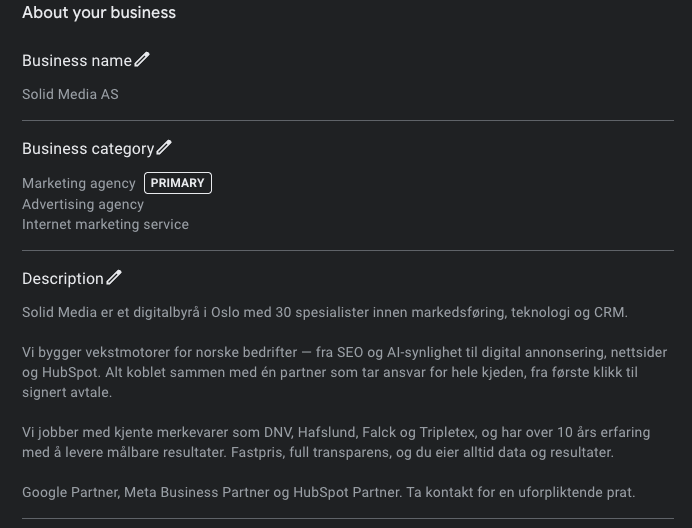
Har bedriften et fysisk lokale kunder kan besøke, legger du inn adressen. Er du en håndverker eller annen tjenesteyter som oppsøker kunder, velger du i stedet et tjenesteområde. Du kan også kombinere begge deler.
Steg 4: Legg inn kontaktinformasjon
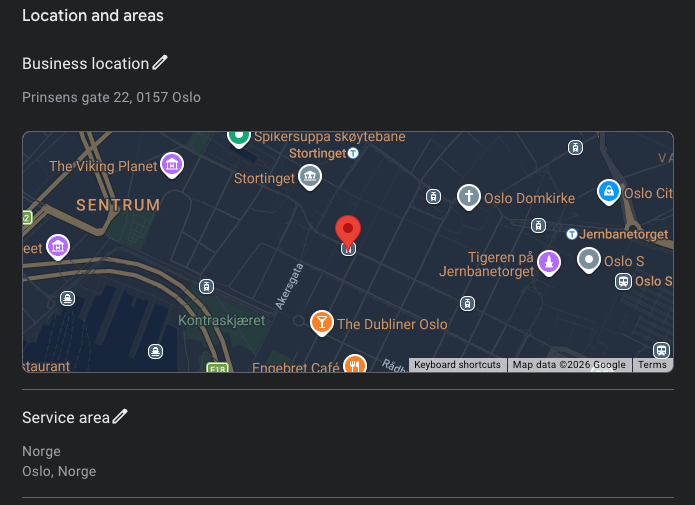
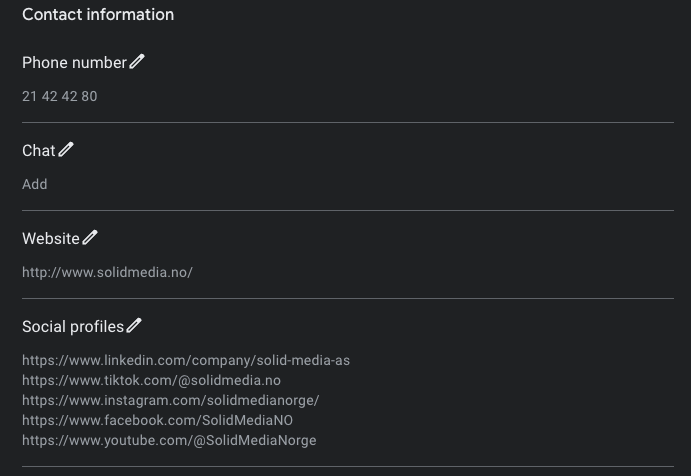
Fyll inn telefonnummer og nettside. Sørg for at informasjonen er identisk med det som står på nettsiden din. God NAP-konsistens er viktig for at Google skal stole på profilen din.
Steg 5: Velg verifiseringsmetode
Google vil nå verifisere at du er den rettmessige eieren av bedriften. Velg den metoden som er tilgjengelig for din bedrift og følg instruksjonene. Vi går gjennom alle verifiseringsmetodene i neste seksjon.
Hvordan verifisere bedriften din på Google
Profilen din blir ikke synlig i søk og på Maps før den er verifisert. Google avgjør automatisk hvilke metoder som er tilgjengelige for din bedrift, basert på bedriftstype og region.
- Videoopptak (anbefalt) Du filmer og laster opp en kort video fra mobilenheten din. Videoen skal vise bedriftens beliggenhet, skilter og at du representerer bedriften. Dette er nå den mest brukte metoden og er den Google anbefaler.
- Direktesendt videosamtale En representant fra Google kobler seg til en direktesendt videosamtale og verifiserer bedriften i sanntid. Du må være i bedriftens lokaler under samtalen.
- Telefon eller SMS Google sender en bekreftelseskode til bedriftens telefonnummer. Tast inn koden i profilen for å fullføre verifiseringen.
- E-post Google sender koden til e-postadressen tilknyttet kontoen. Følg instruksjonene i e-posten.
- Postkort i posten Noen bedrifter kan fortsatt verifisere via postkort med en kode sendt til forretningsadressen. Google anbefaler nå de digitale alternativene fremfor denne metoden.
Optimaliser profilen din for bedre synlighet
Etter verifisering er det tid for å gjøre profilen så god som mulig. Her er elementene som har størst betydning for synligheten din. Bilder og videoer Profiler med bilder og videoer får 35 % flere klikk enn profiler uten visuelt innhold. Last opp høykvalitetsbilder av bedriften, ansatte og produkter eller tjenester. Google anbefaler minimum 720p oppløsning, og videoer kan være opptil 30 sekunder og ha en størrelse på 75 MB.
Det lønner seg å ha minst tre typer bilder:
- Et forsidebilde som gir det første inntrykket
- Én logo som profilbilde
- Flere bilder som viser hva bedriften tilbyr
Beskrivelse av bedriften Skriv en tydelig og konkret beskrivelse av bedriften. Ta med bransje, hvilke tjenester du tilbyr, geografisk dekningsområde og hvorfor kunder bør velge deg. Beskrivelsen kan være opptil 750 tegn, men det viktigste bør stå i de første 250 tegnene.
Kategorier og attributter Velg primærkategorien som beskriver kjernevirksomheten din, og legg til relevante sekundærkategorier. Attributter er egenskaper du kan krysse av for, som «rullestolvennlig», «gratis parkering» eller «tar imot kort». Jo mer informasjon du gir, jo bedre kan Google matche profilen din med relevante søk.
Produkter og tjenester List opp konkrete produkter og tjenester med beskrivelse og gjerne pris. Dette gir profilen mer innhold og øker sjansen for å dukke opp i søk der potensielle kunder leter etter akkurat det du tilbyr.
Åpningstider Legg inn korrekte åpningstider, inkludert unntak for helligdager og spesielle perioder. Feil åpningstider er en av de vanligste grunnene til at kunder ikke tar kontakt.
Google Posts: Hold profilen aktiv
Google Posts lar deg publisere innlegg direkte i bedriftsprofilen, på samme måte som innlegg i sosiale medier. Innleggene vises i profilen din i søkeresultatene og kan bidra til økt engasjement og synlighet.
Du kan publisere fire typer innlegg: oppdateringer, tilbud, arrangementer og produkter. Tilbudsinnlegg fremheves nå med tydelige «Tidsbegrenset tilbud»-merker som skiller seg ut i søkeresultatet.
Noen tips for å få mest mulig ut av Google Posts:
- Post minst én gang i uken for å holde profilen aktiv.
- Bruk bilder i alle innlegg. Innlegg med bilder får langt høyere rekkevidde.
- Legg til en tydelig handlingsoppfordring som «Bestill time», «Les mer» eller «Kontakt oss».
- Du kan nå planlegge innlegg på forhånd, noe som gjør det lettere å planlegge kampanjer og sesongbaserte tilbud.
Håndter anmeldelser og bygg tillit
Google-anmeldelser utgjør nå 81 % av alle nettanmeldelser. De påvirker både rangeringen din i lokale søk og om potensielle kunder velger deg fremfor konkurrentene.
Slik ber du om anmeldelser Den enkleste måten er å generere en QR-kode direkte fra bedriftsprofilen. QR-koden tar kunden rett til anmeldelsesskjemaet ditt. Du kan printe den ut og henge den i butikken, legge den i en kvitteringspose eller sende den i en oppfølgings-e-post etter et kjøp eller et oppdrag. Be gjerne om anmeldelser muntlig når du vet at kunden er fornøyd. En personlig oppfordring i riktig øyeblikk gir langt bedre resultat enn en automatisert e-post.
Slik svarer du på anmeldelser Svar alltid på anmeldelser, både positive og negative. Det viser at du tar tilbakemeldinger på alvor, og det er et positivt signal til Google. For positive anmeldelser holder det med en kort og personlig takk. For negative anmeldelser bør du svare rolig og løsningsorientert. Unngå å diskutere i det offentlige, og inviter heller kunden til å ta kontakt direkte for å løse problemet. Google fjernet tusenvis av mistenkelige anmeldelser i slutten av 2024. Falske anmeldelser kan nå føre til umiddelbar suspensjon av profilen. Autentiske anmeldelser fra ekte kunder er viktigere enn noen gang.