

Hva er Google Search Console?
Google Search Console er et gratis verktøy, som gir deg oversikt over aktiviteten i søkeresultatet, før brukeren klikker inn på nettsiden din. Det kobles opp mot nettsiden din, og gir deg innsikt utelukkende tilknyttet organisk søk. Informasjonen fra verktøyet kan hjelpe deg med å optimalisere innholdet, metabeskrivelser, samt identifisere og eliminere søkeordkannibalisering.
Inne i Google Search Console finner du flere ulike praktiske funksjoner, som blant annet gir deg:
- Innsikt i organisk trafikkdata (søketrafikk)
- Mulighet til å legge inn sitemap
- Tekniske oppdateringer
- Indeksering av sider
Hvorfor er Google Search Console nyttig for SEO?
Vel, det finnes flere fordeler ved å bruke GSC i arbeidet med søkeoptimalisering (SEO). I all hovedsak er det nyttig for on-page optimalisering, søkeordoptimalisering og identifisering av tekniske problemer. Grunnen til at GSC er så nyttig for disse tre punktene er informasjonen du kan hente ut fra verktøyet. Du kan se hvilke søkeord som driver trafikk til nettsiden din, samt hvilke sider som genererer visninger og rangeringen til de ulike søkeordene. I tillegg hjelper Google Search Console deg med å identifisere tekniske problemer tilknyttet indeksering, som kan påvirke brukeropplevelsen negativt.
Ved å ta i bruk GSC på riktig måte, kan du identifisere og løse problemer som hindrer nettsiden i å nå sitt fulle SEO-potensial. Samlet sett vil du ikke bare øke synligheten, men også forbedre nettsidens ytelse og brukeropplevelse!
Hvordan legge til og verifisere Google Search Console?
For å kunne ta i bruk Google Search Console må du legge til nettsiden din og få verifisert at du har tillatelse til å ha denne informasjonen. Dette kan virke komplisert, men vi tar deg trinnvis gjennom prosessen:
1. Gå til Google Search Console og logg på Google-kontoen din.
2. Klikk på “Add property” i rullegardinmenyen i venstre hjørne.
Velg hvordan du vil verifisere nettstedet ditt, enten med “domeneverifisering” eller “nettadresseprefiks”. Hovedforskjellen på disse to er at med “domeneverifisering” får du tilgang til alle URL-variasjoner og subdomener, mens “nettadresseprefiks” gir deg kun tilgang til den ene variasjonen.
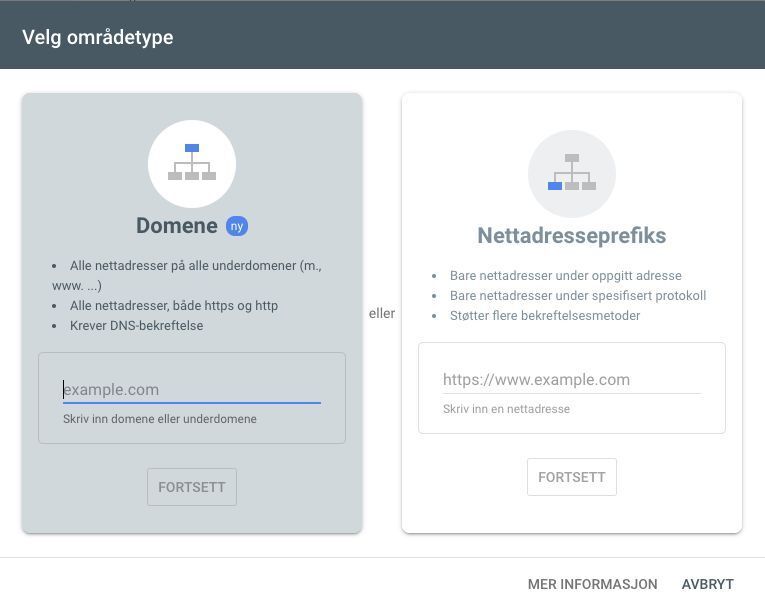
4. Legg til korrekt URL og klikk fortsett.
5. Du vil nå få opp én boks for å bekrefte at du eier nettstedet, følg instruksjonene nedenfor.
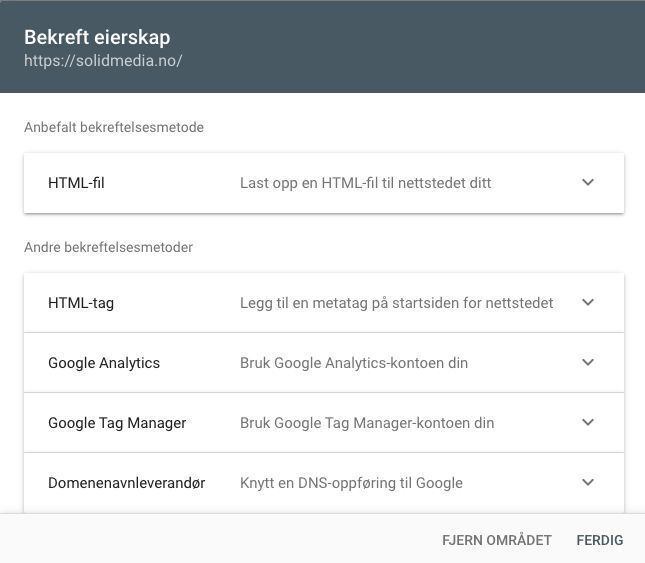
For domeneverifisering: Legg inn en “DNS-record”, altså en tekstkode på webhotellet ditt. Dette gjør at du får tilgang til alle URL-varianter og eventuelle subdomains. Slik får du full kontroll over eventuelle problemer Google måtte ha med URL-variasjoner.
For nettadresseprefiks: Legg inn en kodesnutt i HTML-koden via CMS-et. Du kan også bruke tilgangen din i Google Tag Manager eller Google Analytics til å få godkjent verifisering. Denne passer bedre om du ikke har tilgang til webhotell og server.
6. Etter at verifiseringen er fullført, er du klar til å bruke Google Search Console. Det tar som regel noen dager før du ser statistikk og annen informasjon om indeksering.
Fire viktige funksjoner i Google Search Console
Som nybegynner i Google Search Console er det ikke like lett å vite hvor en bør starte. Derfor er det nyttig å få en oversikt over verktøyet og dens ulike funksjoner. For å hjelpe deg å komme i gang, ser vi nærmere på fire oppgaver vi bruker GSC til:
- Oppdage søkeordkannibalisering
I Google Search Console finnes det en funksjon kalt “Performance”, på norsk «Ytelse», den vi benytter oftest. Her kan du se en graf som følger utviklingen til den organiske trafikken, basert på antall totale klikk, totale visninger, CTR og gjennomsnittlig posisjon/plassering i søkeresultatet.
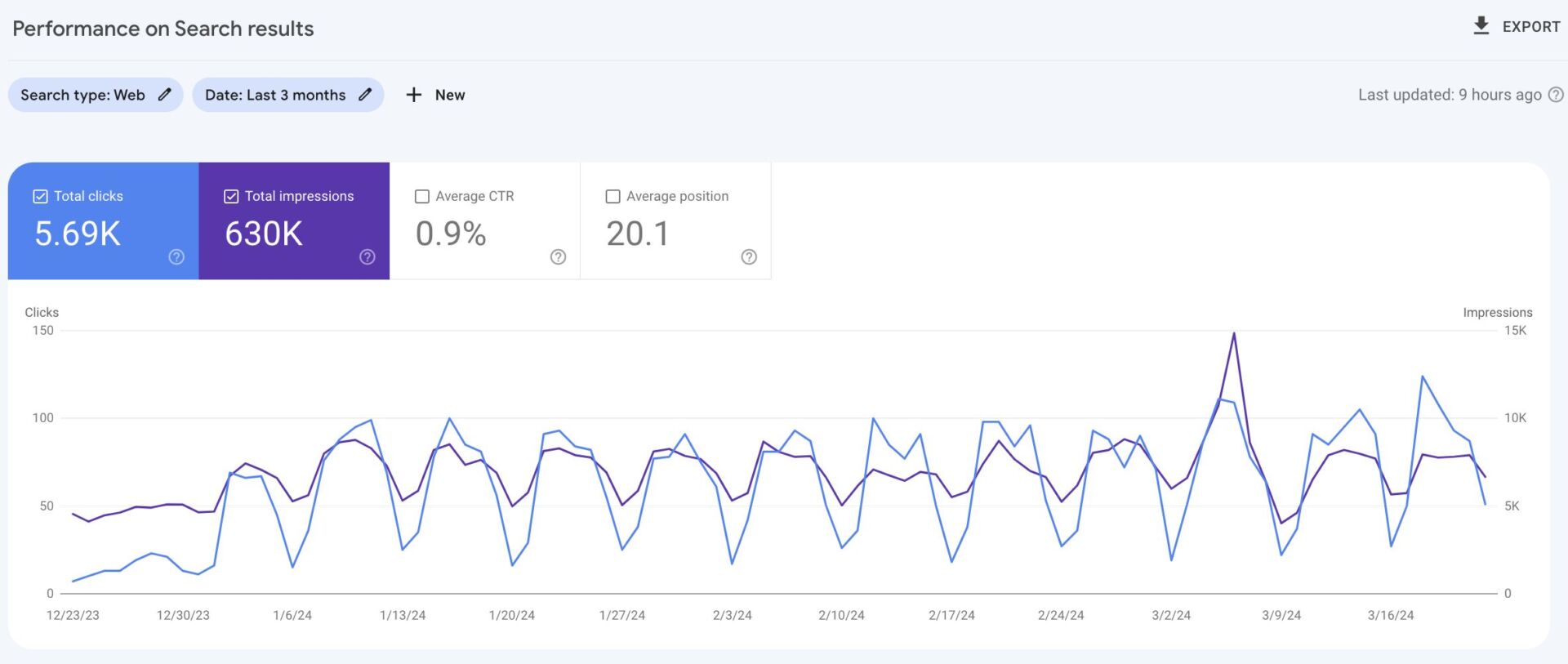
Om du går til seksjonen nedenfor grafen kan du se en oversikt over topp 10 søkeord og sider for nettsiden, basert på klikk og visninger.
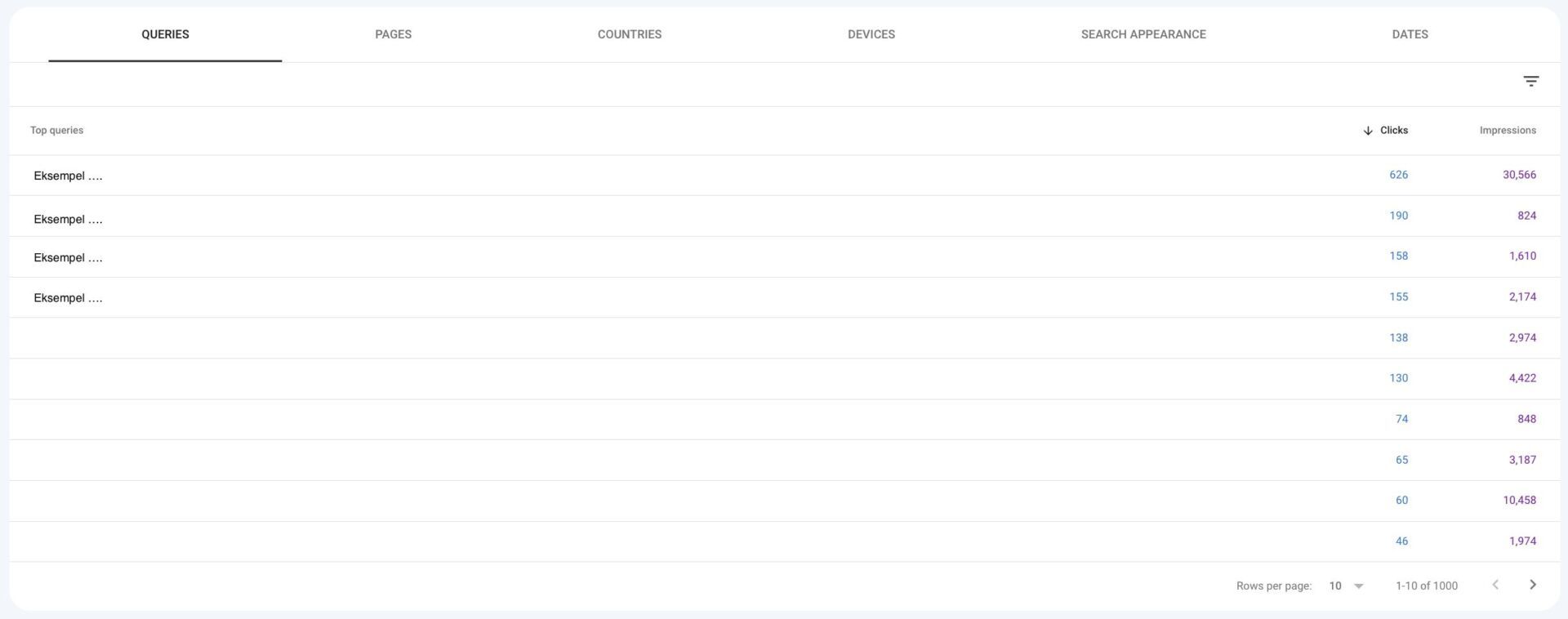
Hvis du trykker deg inn på et spesifikt søkeord og deretter på sider, vil du se hvilke sider som får klikk på det aktuelle søkeordet. På denne måten kan du for eksempel identifisere internkonkurrerende innhold, dersom det dukker opp flere sider på samme søkeord.

Her har vi klikket oss inn på søkeordet “søkemotor”, og ser at to sider rangerer på det samme. Dette ønsker en helst å unngå!
- Identifisere indekseringsproblemer
Hver dag går Google gjennom alle sidene på nettsiden din, for å kunne presentere det nyeste innholdet i søkeresultatet. Under “Page indexing” i Google Search Console kan du finne en statusoversikt over indekseringen av nettsiden din.
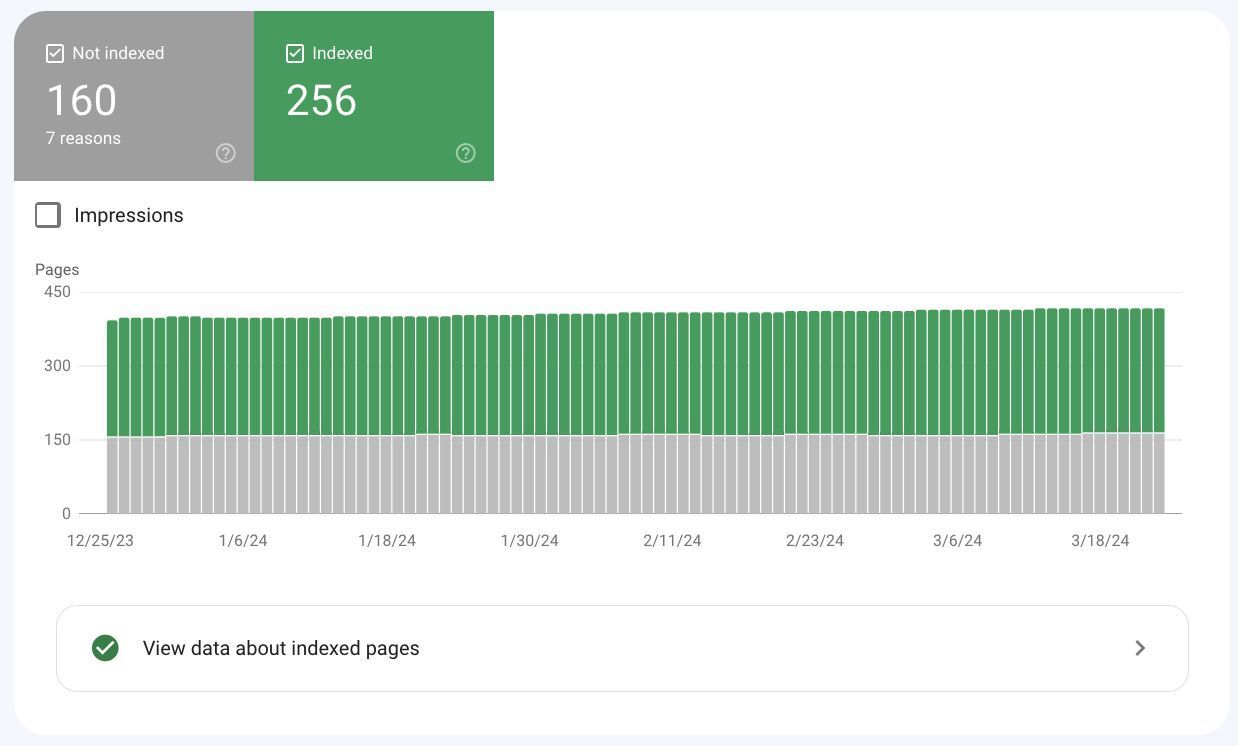
Nedenfor grafen finner du en indekseringsoversikt for hvordan Google indekserer innholdet. Denne inneholder flere ulike grunner til hvorfor sider på nettsiden ikke blir indeksert.
Et tips her er derfor å jobbe med sidene i denne oversikten for å forbedre rangeringene dine og ytelsen til nettstedet.
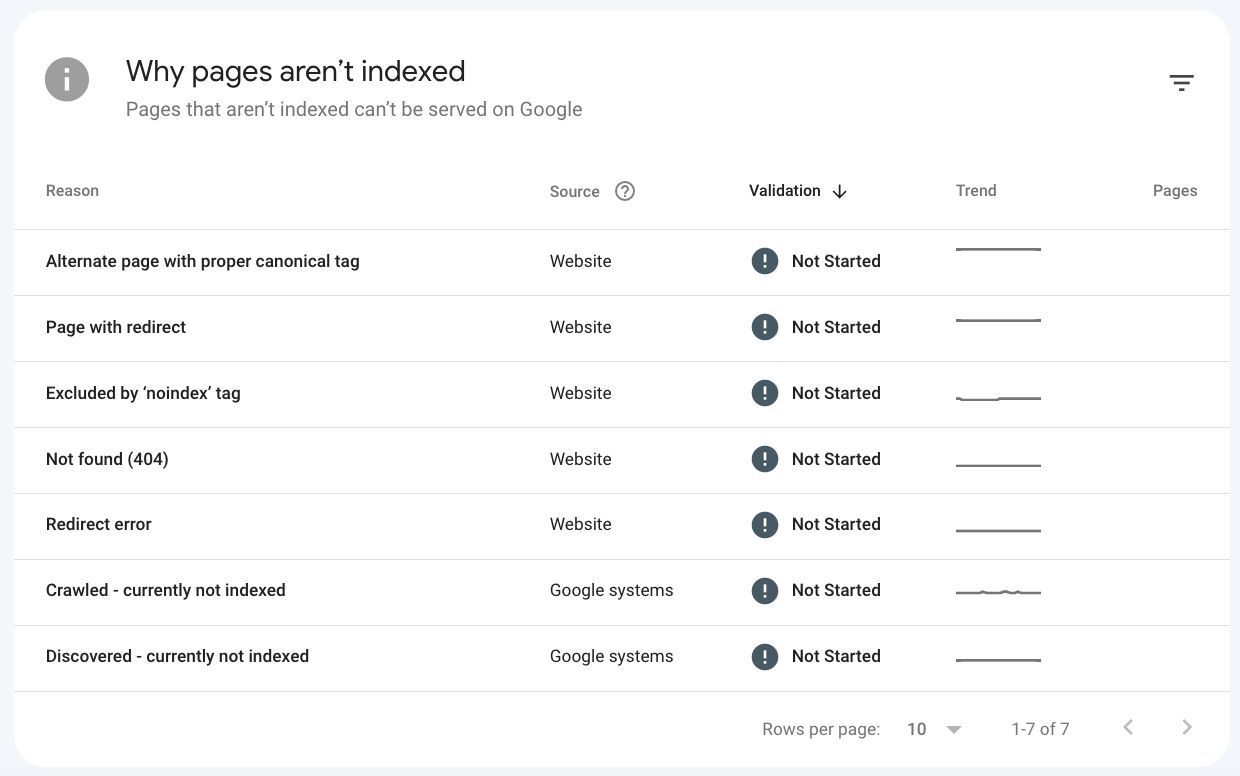
La oss se nærmere på to indeksering problemer. Et eksempel er “Crawled – currently not indexed” som sier at Google har gått over siden, men at den ikke er tilstrekkelig til å presenteres. Erfaringsmessig kan dette skyldes at innholdet ikke gir verdi, det er plagiat eller overlap internt på nettsiden.
Det andre eksempelet er “Not found (404)” som oppstår hvis sider er blitt slettet uten noen form for ompekning. Målet er å ha et så lavt antall 404-sider som mulig, da det ikke er ønskelig å sende en bruker til en sånn type side.
- Sjekke status på en spesifikk URL
En annen nyttig funksjon i Google Search Console er “URL-inspection”. Her kan du sjekke status på hvordan en bestemt side blir indeksert og vist i Googles søkeresultat.
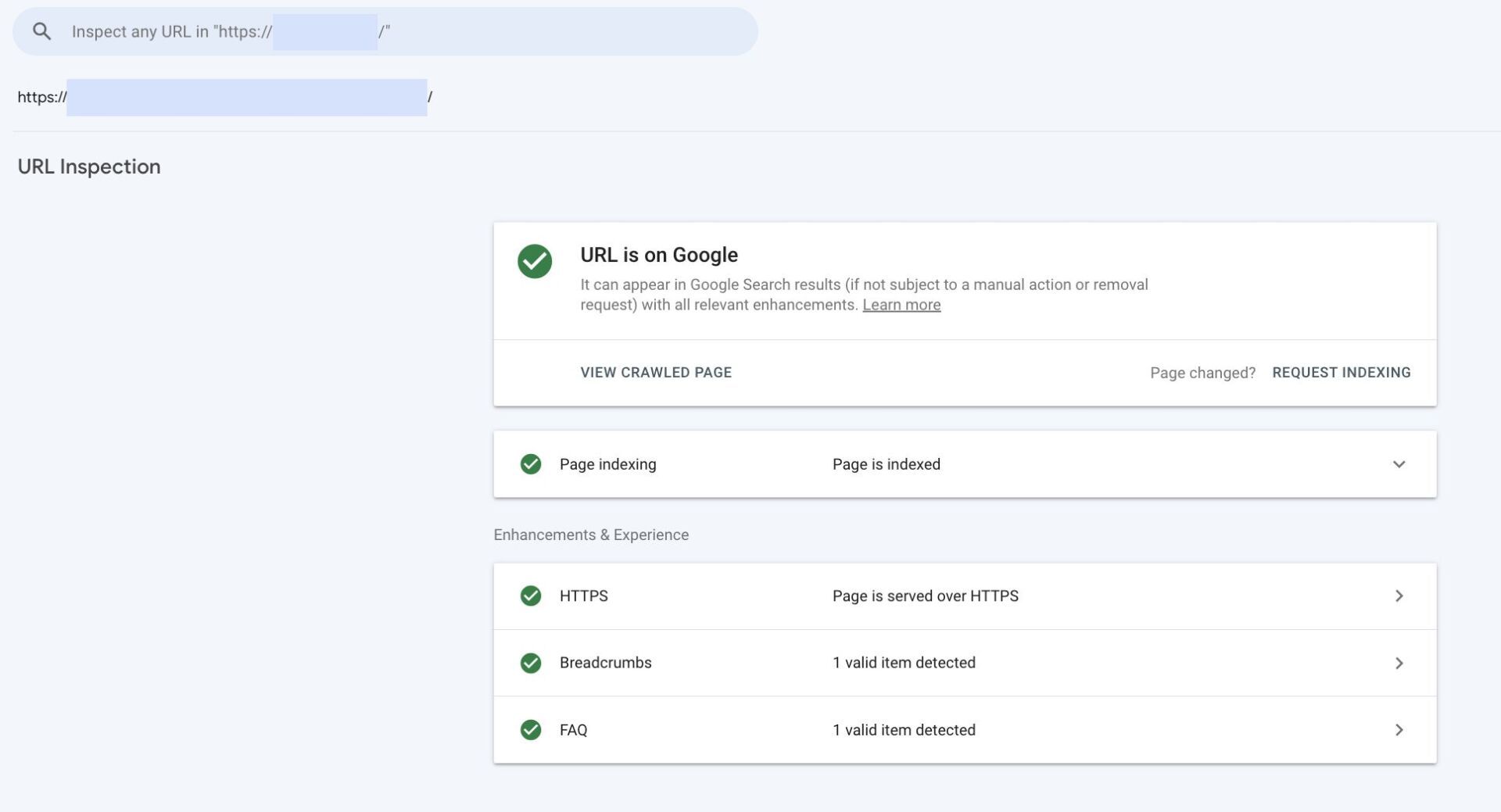
Denne funksjonen er svært nyttig dersom du utfører on-page endringer på enkeltsider. Ved å be om re-indeksering av siden, sender du en forespørsel til Google om å besøke URL-en og oppdatere den spesifikke siden. Det gjør at URL-en blir prioritert og gjenbesøkt av Google for å vise det nyeste i søkeresultatet. Det er viktig å merke seg at det kan ta litt tid før søkeresultatet oppdateres.
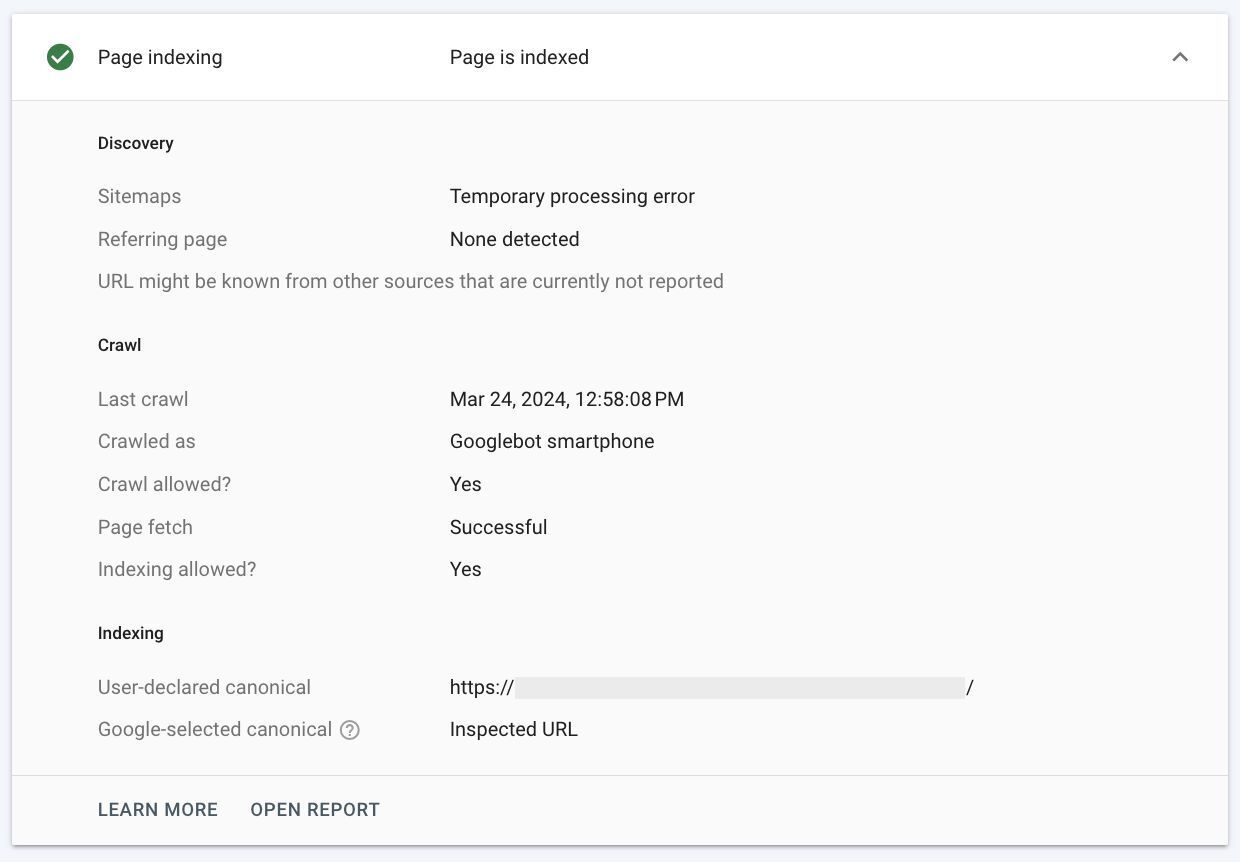
Annen informasjon du kan finne her er når Google sist gikk over den bestemte URL-en, og begrunnelse på hvorfor URL-en ikke er blitt indeksert.
- Legge inn sitemap
Et sitemap er et oversiktskart over alle sidene som er tilgjengelig på nettstedet ditt. Formålet med et sitemap er at Google enklere skal kunne lese sidestrukturen til nettsiden din, for å raskere indeksere sider og oppdatere søkemotoren.
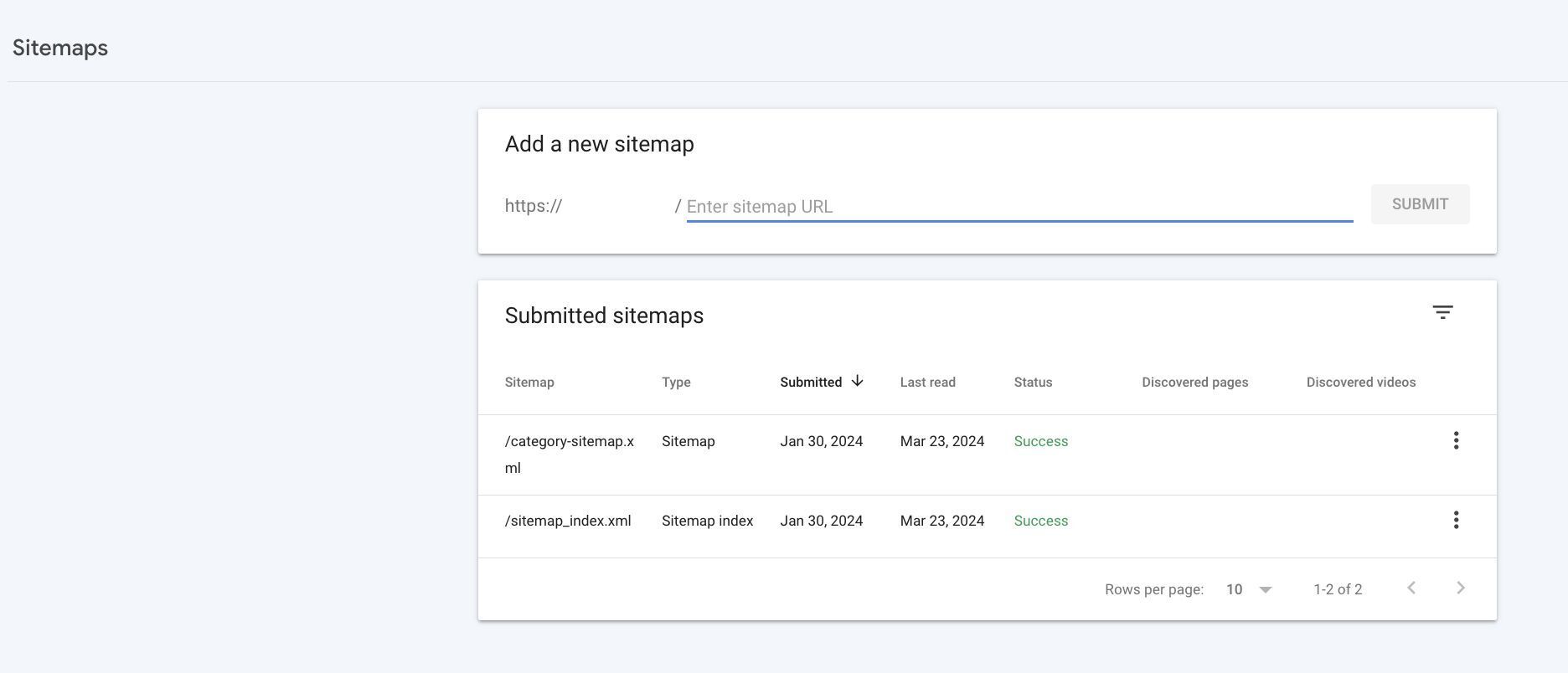
Med Google Search Console får du muligheten til å legge inn sitemap og se at en Googlebot crawler det jevnlig. Dette er helt essensielt når man har en ny nettside, som Google skal gå over.
Oppsummering
I denne artikkelen har vi utforsket Google Search Console, et nyttig verktøy for alle som jobber med nettsider. Ved å benytte deg av verktøyets mange funksjoner vil du ikke bare forbedre synligheten i søkemotoren, men også skape en bedre brukeropplevelse på siden.
Har du noen spørsmål om Google Search Console, SEO eller markedsføring generelt?